
TCV AudioForge v1
Bulk Audio Converter & Normalizer for Voice Packs
About
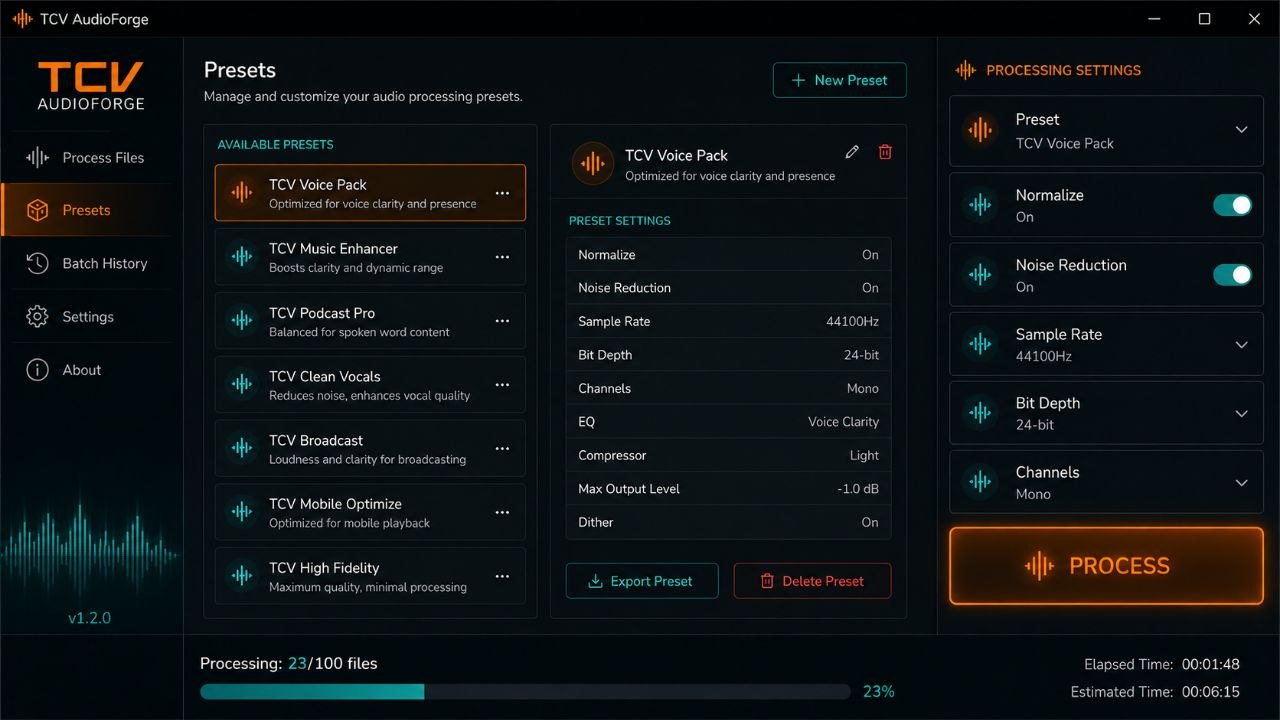
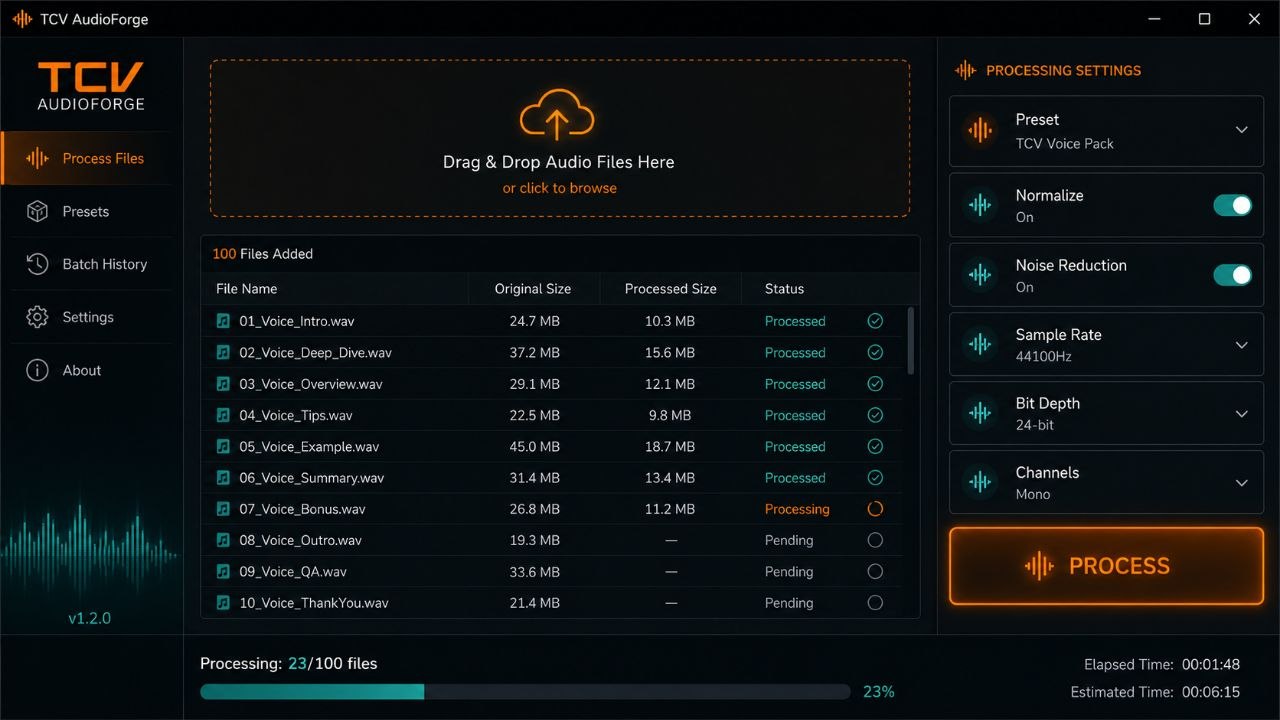
TCV AudioForge is the ultimate audio preparation tool for The Choicer Voicer voice packs. Convert, normalize, trim, and batch‑process samples in seconds – no audio expertise required. Just drop your files, choose your settings, and let the tool do the rest.
Key Features
Batch Audio Conversion – convert any format to TCV‑ready .ogg or .wav in bulk.
Smart Normalization – automatically adjusts volume across all samples.
Intelligent Noise Reduction – remove background noise with one click.
Trim & Silence Removal – auto‑trim silence from start/end of each sample.
Format Presets – one‑click profiles for TCV Voice Pack, Chatter, and Soundboard.
Folder Watch Mode – automatically process new files added to a monitored folder.
Multi‑threaded Processing – convert hundreds of files in seconds.
Drag & Drop Interface – just drag your audio files into the window.
Installation
Requirements
- Windows 10/11
- .NET 6.0 or higher
- Any audio files (MP3, WAV, OGG, FLAC, etc.)
Steps
- Download TCV_AudioForge.zip.
- Extract to any folder (e.g.,
C:\TCV_AudioForge). - Run TCV_AudioForge.exe.
- Drag and drop your audio files (or a folder) into the interface.
- Choose a preset or custom settings.
- Click "Process" – your files are converted and normalized.
No admin rights required – fully portable.
How It Works
- Drag & Drop: Add files or entire folders.
- Presets: Choose TCV‑optimized settings or customize.
- Batch Processing: Convert hundreds of files in seconds.
- Folder Watch: Auto‑process new files as you add them.
FAQ
What audio formats are supported?
MP3, WAV, OGG, FLAC, M4A, AAC, WMA and more.
MP3, WAV, OGG, FLAC, M4A, AAC, WMA and more.
Will it change my original files?
No – it processes copies and leaves originals untouched.
No – it processes copies and leaves originals untouched.
Can I use it for other games?
Yes – it's a general audio tool, but presets are optimized for TCV.
Yes – it's a general audio tool, but presets are optimized for TCV.
Is it safe?
Yes. The app is not code‑signed, so Windows may show a warning – click "More info" then "Run anyway". Feel free to scan with any antivirus.
Yes. The app is not code‑signed, so Windows may show a warning – click "More info" then "Run anyway". Feel free to scan with any antivirus.
Download TCV AudioForge
Stop wasting time on manual audio prep – convert and normalize in seconds.
Login to Download